

1. Event Organisers
2. For District Officials
District Officials have access to all events in their district. Select Events from the menu on the left. Make sure My District is selected at the top. Optionally, use the keyword search to filter events in the list. Find your event and click the name of the event.

Then click the Entries button
3. View or filter entries
You'll be taken to a screen similar to the one below. You can filter by entry status by selecting the appropriate checkbox at the top. Awaiting Acceptance is selected in the example. You can select which values to view in your table by clicking the box icon, top right of the screen (yellow arrow below), and checking the boxes next to the values you want to include.
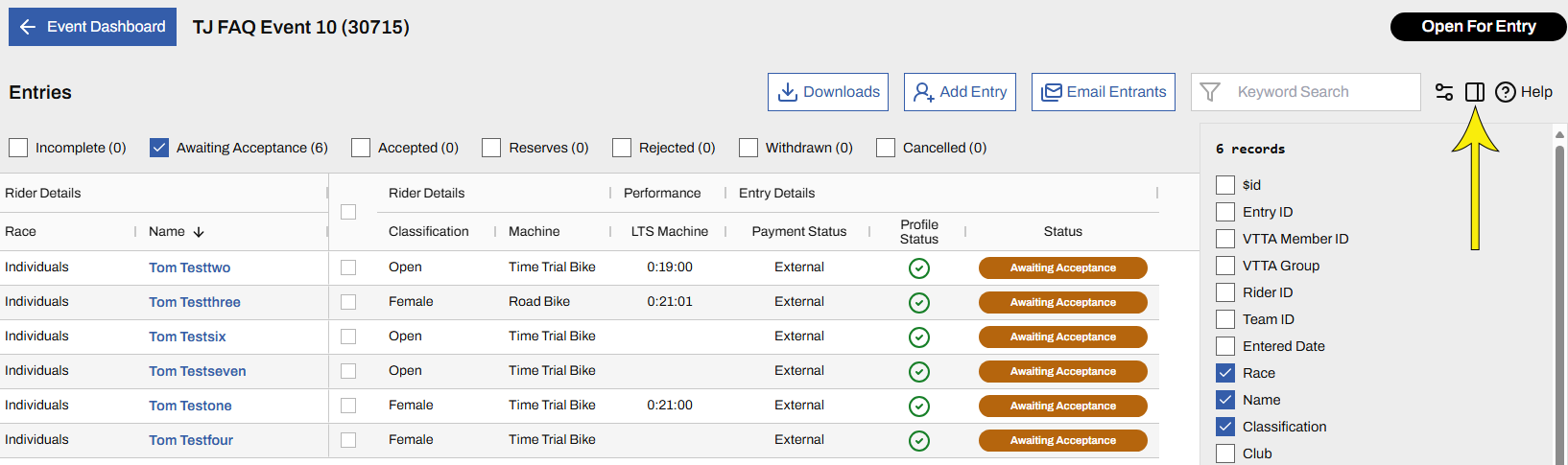
Just as any other 'grid' screen, you can drag the column headers to move the columns left and right,and click the headers to re-order the data.