
Once the Closing date for the event has passed, you can accept entries. to read more about the full Start Sheet process, click Here
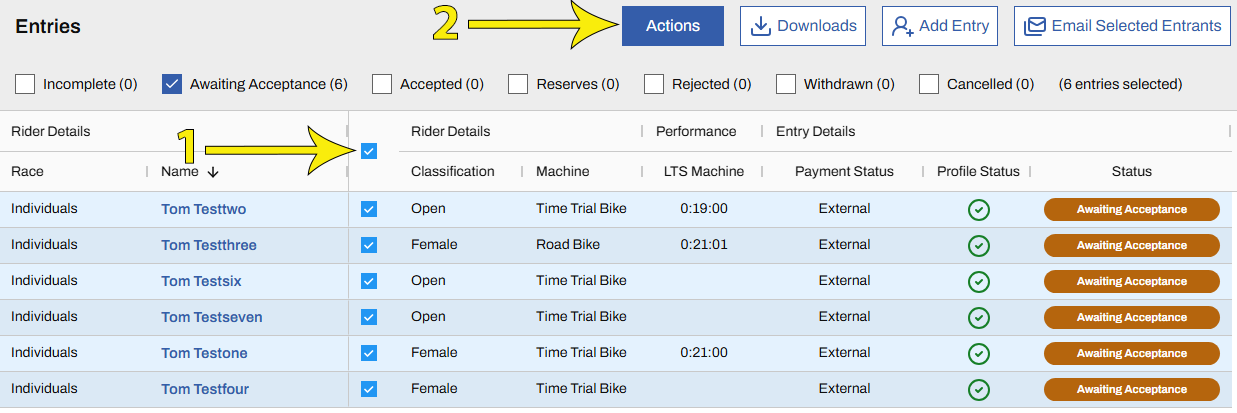
Go to the Entries Screen (🔗) for the event you are interested in and select Awaiting Acceptance from the filter list at the top.
Select the check boxes next to the riders you wish to accept. To accept all riders in Awaiting Acceptance status, select the check box at the top of the list. Then click the Actions button and Accept Entries