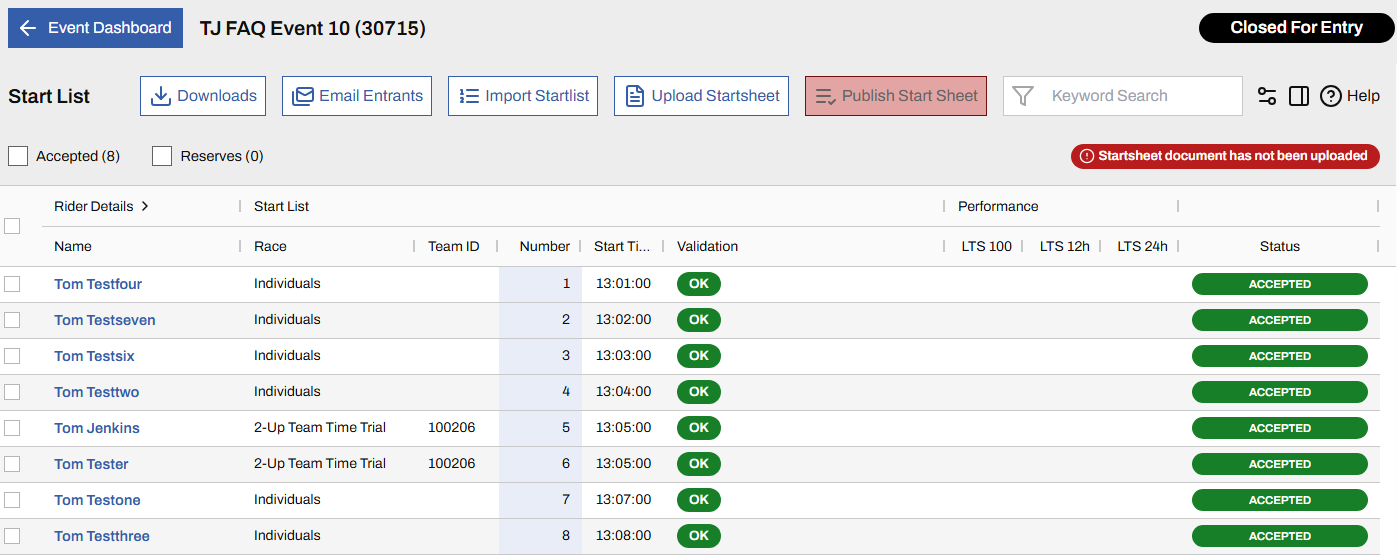

At closing date, organisers must publish their start list and start sheet. The full process is explained here: Startsheet Publication (🔗)
Rider numbers and rider times are validated on the Start Sheet screen and if using the Import Startlist function, they are validated at upload too.
In the example shown below, I have tried to upload a start list with a missing rider number (row 3) and an invalid start time. Note the "." instead of ":" for rider number 3, in row 4. Errors are highlighted as shown below right, and the upload will be blocked until resolved.
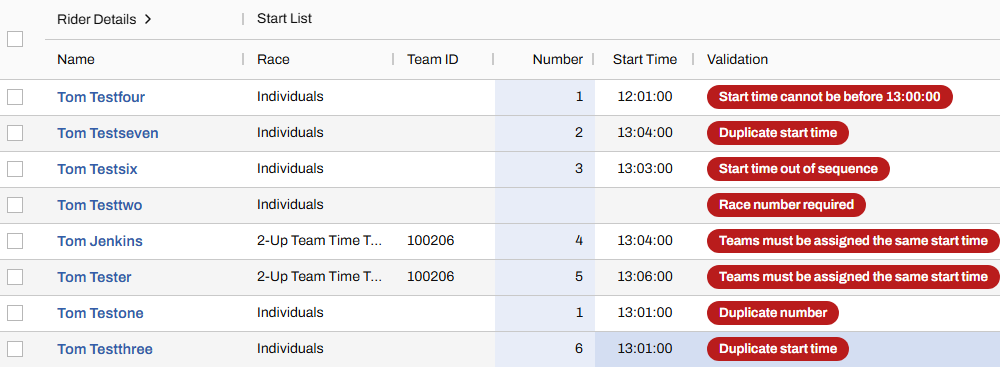
Once formatting errors are fixed and the startlist is uploaded, the system then checks that the data makes sense. If it doesn't, errors will be highlighted in the grid and you will see a (!) Fix Validation Errors message, top right of the startsheet screen. In my example below I have tried force many errors to illustrate the scope of checks made, however it is more likely that you would need to scroll down, passed mostly valid rows, to find the problem. If your view does not show the Validation column, you can change or re-order the columns (🔗) displayed.
When all errors are corrected, all entries will be marked OK as shown below. From this point, the start sheet must be uploaded and Published as explained here: Startsheet Publication (🔗)